Binary to Octal: Convert Base 2 into Base 8
Binary uses two digits, 0 and 1. Octal uses eight digits, 0 through 7. A binary to octal conversion is especially direct because eight is a power of two: 8 = 2³. Every group of three binary bits has a value from zero to seven, which matches exactly one octal digit. The number changes its written base, but its value stays the same.
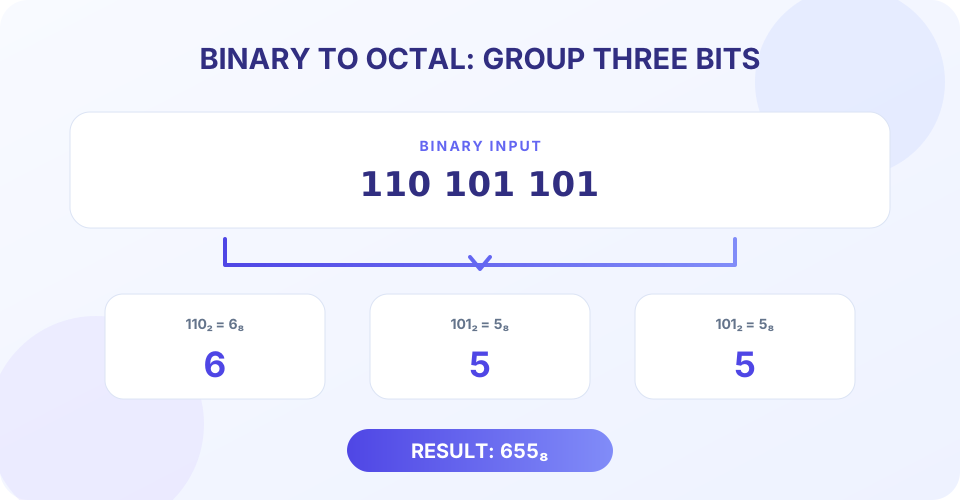
For example, take 110101101. Grouping the bits from the right gives 110 101 101. Those groups represent 6, 5, and 5, so the binary number becomes 655₈. The converter above automates the grouping and returns the octal digits without requiring a decimal intermediate step.
How to Convert Binary to Octal by Grouping Bits
Converting binary to octal uses a direct grouping method that is usually the simplest way to convert a binary integer. A three-bit group can represent eight different values: zero through seven. Those values correspond to all possible octal digits, so each group maps directly. There is no need to evaluate the full binary number as decimal first.
- Start at the right edge. Split the binary digits into groups of three, moving from right to left.
- Pad only the leftmost group. If it has one or two bits, add enough zeros on its left to make three bits.
- Convert each group. Interpret each group as a value from 0 through 7.
- Write the octal digits in order. Keep the same left-to-right sequence as the groups.
- Remove unnecessary leading zeroes. Zero padding at the far left may be omitted from the final number.
For the binary value 101101, split from the right to get 101 101. Both groups equal five, so 101101₂ = 55₈. For 1111, the right group is 111, and the left group is padded from 1 to 001. These map to 7 and 1, giving 17₈. Padding changes the written width of a group, not the underlying value.
“Three binary bits make one octal digit. Group from the right, pad on the left, and keep the digits in order.”
Binary to Octal Table and Chart
This binary to octal table includes every possible three-bit group. It is also a compact binary to octal chart: find each group and use the matching digit. The group’s decimal value is shown as a check, but the conversion itself is a direct base relationship.
| Binary group | Decimal value | Octal digit |
|---|---|---|
000 | 0 | 0 |
001 | 1 | 1 |
010 | 2 | 2 |
011 | 3 | 3 |
100 | 4 | 4 |
101 | 5 | 5 |
110 | 6 | 6 |
111 | 7 | 7 |
The binary to octal formula for a group b₂b₁b₀ is 4b₂ + 2b₁ + b₀. For instance, 110 equals four plus two, or six. The zero at the end contributes zero. Applying the formula to each three-bit group gives the same answer as the lookup table.
Worked Binary to Octal Examples
011 binary to octal
The input already contains one three-bit group: 011. Its value is zero plus two plus one, or three. Therefore, 011₂ = 3₈. The leading zero makes the group complete and does not change the value.
100 binary to octal
The group 100 has a one in the four’s position and zeroes in the other positions. It equals four, so 100₂ = 4₈.
Convert 110101101 to octal
There are nine bits, so they divide evenly into three groups: 110 101 101. The first group equals six and each of the next groups equals five. Thus 110101101₂ = 655₈. As a check, both values equal 429 in decimal.
Convert 1111 to octal
Group from the right: 1 111. Pad the first group to 001 111. These groups map to one and seven, giving 1111₂ = 17₈. The decimal check is 15 in both bases.
Convert 10000000 to octal
Split from the right as 10 000 000, then pad the first group to 010 000 000. The groups map to 2, 0, and 0, so 10000000₂ = 200₈. The zeroes must remain because they mark the lower octal place values.
| Binary input | Three-bit groups | Octal result | Decimal check |
|---|---|---|---|
| 011 | 011 | 3 | 3 |
| 100 | 100 | 4 | 4 |
| 101101 | 101 101 | 55 | 45 |
| 1111 | 001 111 | 17 | 15 |
| 110101101 | 110 101 101 | 655 | 429 |
| 10000000 | 010 000 000 | 200 | 128 |
Using the Binary to Octal Conversion Calculator
This binary to octal conversion calculator reads the input as one unsigned whole-number bit string. It removes whitespace, validates that the remaining characters are only 0 and 1, then maps the groups to octal digits. To convert binary to octal, enter a value such as 110101101 and choose Convert. The result is 655.
- Use only 0 and 1; spaces or other whitespace between bits are ignored.
- Enter one binary number at a time. Whitespace does not separate multiple values.
- Do not include a 0b prefix, comma, sign, decimal point, or digits 2–9.
- The converter returns a base-8 number using digits 0 through 7.
- Unnecessary leading zeroes are omitted from the result.
- Use Copy to clipboard, Clear, or Ctrl+Enter to work with the conversion.
Because the conversion groups the input string directly, it does not first parse a large number into a limited-precision JavaScript value. Long binary strings can therefore be converted without rounding the represented integer. The converter is for whole numbers; fractions and signed representations require additional rules and are not interpreted here.
Why Convert Binary to Octal?
Octal is more compact than binary while retaining an easy bit-level relationship. Each octal digit represents exactly three bits, so the conversion can be reversed by replacing each octal digit with its three-bit form. This makes octal useful in contexts where groups of three bits are meaningful, including some educational examples and certain computing conventions.
Octal is not automatically more suitable than hexadecimal. One hexadecimal digit represents four bits, while one octal digit represents three. Choose the base that matches the format or convention you are working with. When no such requirement exists, decimal may be more familiar for everyday quantities and binary may be best when inspecting individual bits.
Conversion does not encrypt, compress, or alter the underlying data. It changes only how the same non-negative integer is written. For example, 110101101₂, 655₈, and 429₁₀ are three notations for one value.
Binary to Octal Compared with Other Converters
Binary-to-octal conversion treats the complete input as one number. It is different from text decoding, which groups bits into bytes and maps those byte values to characters. If your bits represent character data, use Binary to Text and confirm the encoding rather than interpreting the entire sequence as one integer.
A search for “conversion binary to octal” is asking how to rewrite a base-2 value in base 8. The direct three-bit method answers that need without changing the quantity represented.
For other base changes, Binary to Decimal expresses base 2 in base 10, and Decimal to Binary converts base 10 back to base 2. Octal can also be compared with hexadecimal using the relevant conversion tools when you need a different compact representation.
“Use groups of three bits for octal, groups of four for hexadecimal, and byte-sized groups only when the bits represent encoded characters.”
Conclusion: Group Binary Digits in Threes
To convert binary to octal, group the bits into threes from the right, pad only the leftmost group with zeroes, and replace each group using the 0–7 chart. This converter accepts one binary integer, ignores whitespace, validates every bit, and maps the groups directly without losing precision on long inputs. Preserve internal zero groups, and use a text decoder instead when the bits represent encoded characters rather than one number.


