Word Counter Online: Check Words and Characters as You Write
A draft can look short on screen and still exceed a submission limit, or appear long while remaining below a target. A word counter gives writers a quick way to check the text itself instead of estimating by page length. SnapZain’s word counter online combines a rich-text editor with live statistics, so you can type or paste writing and see the word count, character count, character count without spaces, sentence count, paragraph count, and estimated reading time together.
This word count tool is useful while preparing an essay, article, application, speech, product description, email, or short assignment. The totals update as the editor content changes; there is no separate counting step. You can format a draft, paste from the clipboard, clear it, or continue editing while checking its length. The figures are practical writing estimates, and this guide explains exactly how the current word count checker counts so you can compare them sensibly with another application’s rules.
Important: A word count measures length, not writing quality. Use the number to guide your next edit, then make sure every sentence adds meaning and the draft still sounds clear and natural.
What the Online Word Counter Shows
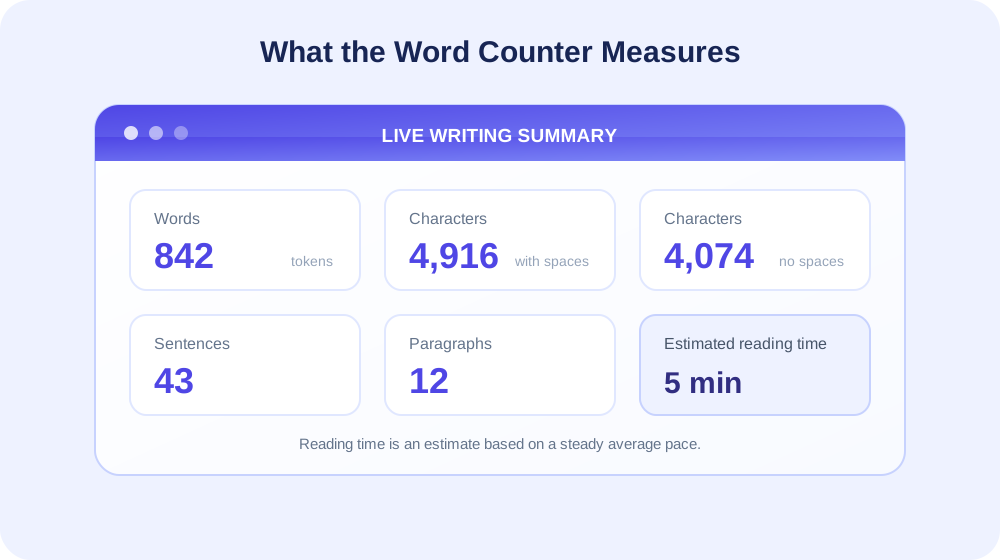
The Statistics panel presents several measures at once. Words is the count of non-empty groups separated by whitespace. Characters counts the editor’s text including spaces and line breaks. Characters (no spaces) removes whitespace before counting. Sentences estimates sentence boundaries from periods, question marks, and exclamation marks. Paragraphs counts non-empty lines separated by line breaks. Estimated reading time converts the word total into whole minutes using the tool’s fixed reading pace.
These measures answer different questions. If a form imposes a maximum number of words, use Words. If a social profile or title has a character limit, use Characters and check whether that limit includes spaces. If you want an overview of sentence and paragraph structure, those estimates can help you notice unusually dense sections. Reading time can help size a short presentation or passage, but it is only a planning estimate; real readers pause, skim, and read at different speeds.
The counts refer to text in the editor, not the visual size of its formatting. Changing a font, making a heading bold, or inserting a line break does not add a word by itself. The editor can also contain formatting and images; text embedded inside an image is not automatically recognized as words. Paste actual text when you want it included in the calculation.
How the SnapZain Word Counter Works
SnapZain’s page uses a rich-text writing editor and updates its statistics when the editor reports a text change. In practical terms, you can type, paste, or revise a passage and watch the totals refresh without pressing a counter button. The editor’s toolbar offers headings, font and size choices, bold, italic, underline, strike-through, text and background colors, alignment, links, image insertion, quotations, code blocks, ordered and bulleted lists, indentation, and a clear-formatting option.
The word count is based on a straightforward rule: trim the text at the beginning and end, then split the remaining text at whitespace and count the non-empty pieces. That makes common sentences easy to count. It also means punctuation stays attached to its group: ready, is one word, just as ready is one word. A stand-alone punctuation mark separated by spaces may count as a group because the rule is based on whitespace, not dictionary meaning.
Characters are counted from the editor’s text representation. Spaces and line breaks are included in Characters, while the no-spaces value removes whitespace. The rich-text editor maintains a final line break so the cursor has a place to sit; depending on the text in the editor, that implementation detail can affect the raw character total. When a strict character cap matters, compare the actual text pasted into the destination field, because services can normalize line endings or count Unicode symbols differently.
Sentence count is a useful approximation rather than a grammar analysis. The counter looks for periods, question marks, and exclamation marks, including consecutive punctuation as a single run. If there is text but no such punctuation, the tool reports one sentence. Abbreviations, decimal numbers, initials, ellipses, and quoted dialogue can make a punctuation-based count differ from a human reading of the sentence structure.
Paragraphs are counted by splitting the editor text on line breaks and counting non-empty lines. A paragraph that wraps onto several visual lines because the editor is narrow remains one paragraph if there is no actual line break. Pressing Enter to begin a new paragraph can increase the paragraph count. These implementation details make the statistics predictable: the tool reports what the text structure contains, rather than guessing from visual layout.
How to Use the Free Word Counter
Use the editor as a live word counter online. You do not need to format your writing before checking its length, and you can make changes after the first count:
- Start with a draft. Type in the editor, paste text with the browser’s normal paste command, or use Paste from clipboard.
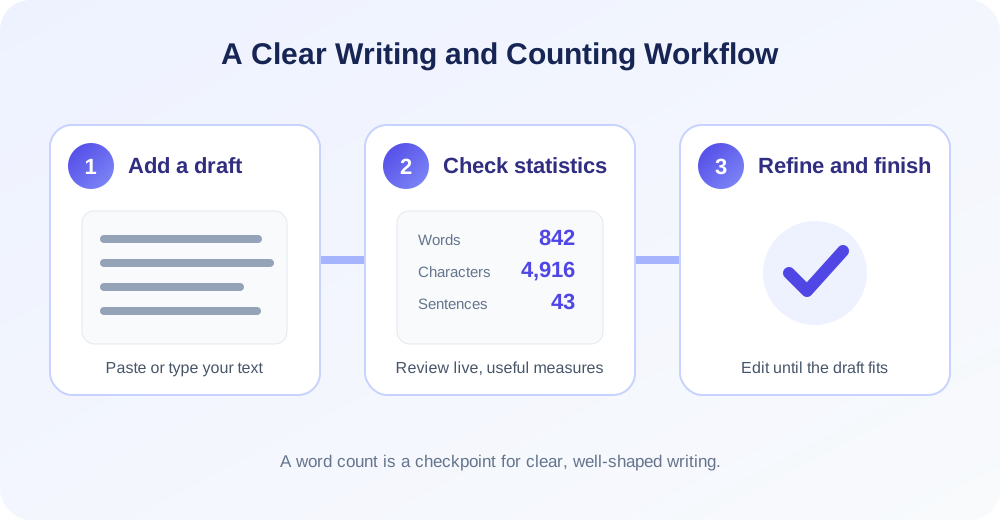
- Read the Statistics panel. Review Words, Characters, Characters (no spaces), Sentences, Paragraphs, and Estimated reading time.
- Compare with your target. Check the instructions for the assignment, publisher, or field. Confirm whether titles, references, captions, and footnotes are included.
- Edit with a purpose. Add missing explanation or remove repetition. The live totals change as the text changes.
- Keep your work. Copy important writing before clearing the editor. Clear resets the current text so you can begin a new count.
Paste from clipboard can require browser permission. If the button cannot read clipboard contents, click inside the editor and use the keyboard paste command instead. Formatting controls help you inspect a structured draft, but the tool is not a document storage system: keep your own saved copy of any work you need later. Before submitting, place the final version in its intended application and follow that application’s count when its rules are controlling.
When to Use a Word Counter
A word counter is most useful when the length of a piece of writing affects how it will be read, reviewed, or submitted. Students can check an essay or short answer while drafting; editors can compare a section with a requested range; and job applicants can estimate the length of a cover letter or profile field. A live word count lets you make an edit and immediately see whether it moves the draft toward a useful length.
Bloggers and website writers can use an online word counter to review an introduction, description, or article before moving it into a publishing editor. The statistics can show whether a paragraph has become unusually long, whether an opening is concise, or whether a draft’s estimated reading time suits its purpose. These numbers are prompts for review rather than formulas for how long every article should be. A short, direct answer may serve readers better than a longer piece, while a complex topic may need room for examples and explanation.
People preparing speeches, presentations, and scripts can use the reading-time estimate as an initial planning signal. Because this tool estimates at 200 words per minute, a 600-word passage is shown as about three minutes. Actual delivery depends on pauses, emphasis, audience interaction, and speaking pace, so read the text aloud and time a rehearsal when timing is important. The counter helps plan the draft; it does not listen to or measure a spoken performance.
Character counting is useful for fields that restrict the number of characters in a title, bio, caption, or short response. Check whether the limit includes spaces before editing to fit. Sentence and paragraph counts can help review structure in an essay, newsletter, or report. If the count seems surprising, inspect the pasted text for line breaks, repeated spaces, and formatting artifacts. The relevant measure depends on the task: words for a word range, characters for a character cap, and reading time for rough pacing.
A simple practical routine is to make a complete draft first, review its live statistics, and then revise the parts that most need work. If it is too short, add an example or explanation that helps the reader. If it is too long, remove repeated ideas and keep the details that support the main purpose. Recount after editing, but read the final version as a person would: a target number is useful only when the content remains coherent and helpful.
Word Count and Character Count: Which Number Matters?
Word limits and character limits solve different editorial problems. A scholarship response might ask for a maximum of 500 words, while a social media description could allow a set number of characters. A title might need to fit a display width even when it has very few words. A good word and character count check therefore starts by identifying the exact unit named in the requirement.
Characters with spaces includes spaces and line breaks; characters without spaces removes whitespace. Neither measure is universally preferred. A platform may count spaces, punctuation, or line breaks toward its limit. Some systems count a Unicode emoji as one visible symbol, while a programming-oriented count may measure multiple code units or bytes. If a limit is strict, paste the final text into the actual destination and use its displayed result.
Words are not simply characters divided by a typical word length. A short phrase can have many one-letter words, while a technical term can be lengthy but still count as one whitespace-separated group. The counter is helpful because it measures the actual draft according to a consistent rule. Use the character statistic for character constraints, the word statistic for word constraints, and the reading-time estimate for rough pacing.
| Statistic | What it tells you | Common use |
|---|---|---|
| Words | Whitespace-separated text groups. | Essay, abstract, article, or application word limits. |
| Characters | Text characters including spaces and line breaks. | Bio, title, caption, or form character limits. |
| Characters (no spaces) | Characters remaining after whitespace is removed. | Comparisons where a requirement excludes spaces. |
| Sentences | A punctuation-based estimate of sentence count. | Reviewing sentence length and passage rhythm. |
| Paragraphs | Non-empty lines separated by paragraph breaks. | Checking organization and visual structure. |
| Estimated reading time | Whole minutes estimated at 200 words per minute. | Planning a short speech or reading passage. |
How to Check Word Count in Word and Other Editors
People often search for how to check word count on Word, how to see word count on Word, how to show word count on Word, or check word count Word because they want the count inside a document they are already editing. In many desktop versions of Microsoft Word, the status bar shows a word count, and the Review tab provides a Word Count command. The exact location and available options can vary across Word for the web, desktop, and mobile, as well as between product versions.
For a separate online check, copy the relevant text into this free word counter. If you only want to count a selected section, make a temporary copy of that section in the editor because the live statistics measure all text in the editor. After checking, verify the complete document in Word when Word’s own count is the required reference. Differences can arise from footnotes, text boxes, hyphenated compounds, headings, tables, and the way an application handles punctuation or Unicode.
“Word online word count” may refer to the word total in Microsoft Word online, or it may mean a word count performed through any online writing tool. This page is an independent browser-based editor. It does not modify a Word document on your device or read the document unless you paste its text into the editor. Keeping those two workflows distinct helps prevent the mistaken assumption that a web counter automatically includes document sections you have not pasted.
If the count in Word and the count here differ, do not immediately assume either one is broken. Compare the exact text and the counting convention. Check whether the final selection includes a heading, table, notes, or a trailing line. Also inspect hyphenated expressions and isolated symbols, because a whitespace-based rule can produce a different total from an application with more specialized tokenization.
Words, Punctuation, Hyphens, and Special Cases
The word count checker uses whitespace as the boundary. For example, well-written stays in one group because no whitespace separates its parts. word, counts as one group, and so does word. A number such as 3.14 remains in one group. This is straightforward for most everyday drafts, but another word-count program might split a hyphenated phrase or treat symbols differently.
A stand-alone symbol surrounded by spaces can count as a group under this rule. If a text contains a decorative bullet, repeated punctuation, or mathematical operators on their own, compare how the receiving application counts them. This is particularly relevant in technical writing, code samples, lists, or text copied from a formatted source. The tool reports a predictable whitespace count; it does not classify every item according to grammar or editorial style guides.
Line breaks and tabs are whitespace. They separate groups for word counting, and they are removed in the Characters (no spaces) calculation. When the editor inserts a paragraph break, the paragraph estimate can change even if the number of words stays the same. A change in formatting alone—such as making a line bold—does not necessarily change the plain text count. Review both structure and content when preparing a polished draft.
For multilingual writing, visible characters and internal text units are not always identical. Some emoji and combined-script characters can be represented by more than one Unicode unit. The browser’s character calculation follows the editor text’s JavaScript string length, so it may not match a system that counts user-perceived graphemes. For a strict limit involving emoji or complex scripts, check the final text in the destination platform.
Use Sentence and Paragraph Counts to Review Structure
Sentence count gives a rough overview of how many punctuation-marked units appear in a draft. If a section has few sentences but many words, some sentences may be long and worth reviewing for clarity. If every sentence is very short, the prose may feel abrupt or repetitive. These are observations to investigate rather than fixed writing rules. A short sentence can emphasize an important point, while a longer sentence can express a useful relationship between ideas.
Paragraph count is based on non-empty lines separated by line breaks, not on the visual wrapping of text. A narrow screen can show one paragraph across many visible lines without increasing the count. Conversely, pressing Enter can create a new paragraph even if the new line contains only a few words. When editing a long piece, use paragraph breaks to organize shifts in topic and give readers natural places to pause.
Looking at word count per paragraph can encourage a closer editorial review, but a uniform paragraph length is not required. A paragraph’s purpose, complexity, and context matter. A brief transition may be appropriate; an evidence-heavy explanation may need more room. Use the counter to notice patterns, then decide whether the structure communicates the ideas clearly to the intended reader.
A Practical Editing Method for Hitting a Word Target
When a draft needs to fit a range, first identify the minimum, maximum, and what the destination counts. Do not aim exactly at the upper limit before the final edit; headings and later clarifications can add words. Draft the complete answer, check its live length, and create a brief outline from the current paragraphs. This shows whether the draft has a missing section or an area that repeats the same point.
If the draft is below the minimum, add information that helps the reader understand the subject. Define a key term, provide a concrete example, explain the reasoning behind a claim, or describe a relevant limitation. Each addition should answer a question the reader could reasonably have. Avoid repeating a sentence in different words simply to increase the number; that makes the writing less useful even if it satisfies a superficial target.
If the draft is above the maximum, review each paragraph for its role in the response. Remove repeated conclusions, shorten inflated phrases, replace vague wording with specific language, and cut details that do not support the central purpose. Preserve evidence and necessary context. After editing, reread the complete passage to make sure transitions still work and the argument remains accurate.
Check the count after the final formatting and copy-edit. Adding a heading or a short clarification changes the text total, while applying bold or changing font size generally does not. If the destination has a dedicated counter, use it for the final decision. This free word counter provides a useful drafting companion, and the target application remains the authoritative check when its own rules govern the submission.
Rich-Text Editing Alongside the Word Count
The editor includes more than a plain text box, so you can review a formatted draft while watching its statistics. Headings can separate topics, lists can organize steps, and emphasis can draw attention to a term. Links and images can be placed in the editor, and code blocks or quotations can represent special content. These features help prepare and inspect text, but the word count should be interpreted according to what is actually text in the editor.
The formatting toolbar does not change the definition of a whitespace-separated word. A heading containing five words contributes those words like any other line. A link label contributes its visible text, while its destination URL is not necessarily visible in the same way as the label. An inserted image does not automatically contribute the words printed in the image. If the task requires counting captions, alt text, footnotes, or hidden metadata, confirm whether those elements are included and enter the relevant text when appropriate.
Clipboard paste is convenient when transferring a draft from another source. The browser may ask permission before the dedicated Paste from clipboard button can read text. You can also focus the editor and use the standard keyboard paste shortcut. Once the content appears, the statistics update. Review the result for formatting artifacts such as extra line breaks, repeated spaces, or content that was not intended to be included.
Clear removes the current editor content and resets the totals. Because clearing is destructive to the unsaved text in that editor, copy the draft first if you need to keep it. The editor does not expose a document library or a visible save control. Use your normal document storage workflow for important writing and treat this page as a working editor and counter.
Word Count Online for Documents, PDFs, and Web Forms
This online word counter works with text placed in its editor. It does not directly open a Word file, import a PDF, or inspect the content of a webpage form. For a Word document, select and copy the text you want to check. For a PDF, copy selectable text if the document permits it; a scanned page may need optical character recognition before its words can be counted. Once text is in the editor, verify that paragraph breaks and special characters transferred as expected.
Some searches for “word count PDF” come from a need to count words in a PDF document. The counter itself is not a PDF upload or extraction tool. Copying text from a PDF may change spacing, split words at line endings, or omit text in images. If a precise official count is needed, use the document’s intended text source or an appropriate extraction process, then compare the extracted result with the original pages.
Web forms often enforce their own limits after text is entered. They may strip formatting, normalize spaces, or include/exclude line breaks in a platform-specific way. Use this free word counter to draft and estimate, then paste the final text into the form and check its own counter when available. This final check catches changes introduced by copy-and-paste, field-specific rules, or a last-minute edit.
The same principle applies to publishing systems and academic portals. A word count online can be valuable during composition, but the receiving system defines whether headings, citations, references, captions, or notes are part of the official total. If instructions name an application or counting convention, use that method for the final submission and keep a copy of the exact submitted version.
Related SnapZain Writing Tools
Different stages of writing call for different tools. Online Notepad provides a rich-text place to draft and organize notes. Rewording Tool can help explore alternate phrasing for a passage. Sentence Rewriter focuses on revising an individual sentence, while Paragraph Rewriter works at the paragraph level. Review every revision for meaning, tone, and accuracy before using it.
A simple workflow is to draft in a writing space, use a word count checker to see the current length, and revise the section that needs attention. A rephrasing or rewriting tool may offer a different wording option, but it cannot decide whether a claim is correct or whether a change preserves your intended point. Compare suggestions with the original idea. The writer remains responsible for the final wording, sources, and fit with the assignment or audience.
Use tools selectively rather than moving the same content through every tool by default. If the draft is already clear and within its target, a basic final review may be all that is needed. If a section is difficult to follow, revise that section and check whether the count changes in a useful direction. A focused process keeps the writing’s purpose at the center and makes each tool serve a specific need.
Conclusion: Use a Word Count as a Writing Checkpoint
SnapZain’s word counter online provides a live word count, character count, character count without spaces, sentence and paragraph estimates, and a reading-time estimate in a rich-text editor. Type or paste a draft, review the statistics, and revise while you work. The word total uses whitespace-separated groups, reading time is estimated at 200 words per minute, and sentence and paragraph totals follow the simple rules described above.
Use the measure that matches your task, and verify strict limits in the application or submission form that sets them. A counter can show how much text you have; careful editing determines whether the writing is clear, complete, accurate, and useful. Keep a copy of important drafts, use related writing tools only when they help, and make the final decision based on your reader and requirements.


