ASCII to Binary: Convert Character Codes into Eight-Bit Values
ASCII assigns numeric codes to letters, digits, punctuation, and control characters. Writing those codes in base two shows the same values as groups of 0s and 1s. This ASCII to Binary guide explains the relationship, shows how to check the conversion by hand, and describes exactly what the calculator accepts. Enter decimal character-code numbers such as 72 105 in the tool above to get 01001000 01101001.
One distinction matters: the calculator expects decimal ASCII codes, not letters typed directly. The number 72 represents uppercase H, and its eight-bit binary form is 01001000. If you want to enter the letter H itself, use a text-to-binary converter; this page formats the numeric code that you provide. This separation makes the ASCII code to binary conversion explicit and easy to verify.
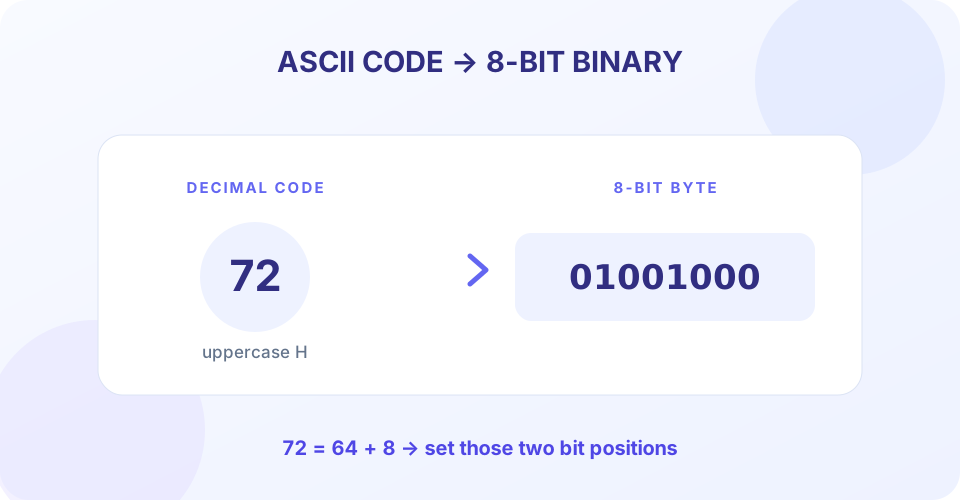
How ASCII Codes Become Binary
Binary is a base-2 number system. Each position represents a power of two: from right to left, an eight-bit byte has place values 1, 2, 4, 8, 16, 32, 64, and 128. To express a decimal code in binary, identify which place values add up to the number and put a 1 in those positions. Put 0 in the other positions.
For H, the decimal code is 72. Since 72 = 64 + 8, set the 64 place and the 8 place to 1. The other six places are 0, producing 01001000. This eight-bit form is the byte representation. The same method applies to every ASCII code, and the order of the codes follows the order of the characters in the text.
Eight-bit value = 128b₇ + 64b₆ + 32b₅ + 16b₄ + 8b₃ + 4b₂ + 2b₁ + b₀
Each b is either 0 or 1. For instance, the byte 01000001 equals 64 + 1 = 65, the decimal code for A. An ASCII to binary conversion is therefore a number-base conversion applied to each character code separately—not one conversion of the entire sentence as a single number.
- Find the character code. Look up the character in an ASCII table and note its decimal value.
- Convert the value to base two. Repeatedly divide by 2 or use the powers-of-two place values.
- Pad to eight digits. Add leading zeros until the result is one byte wide.
- Repeat in order. Convert each following character code to its own eight-bit group.
ASCII to Binary Table for Common Characters
This compact ASCII to binary table lists common printable characters, decimal codes, and their eight-bit bytes. It doubles as an ASCII to binary chart for checking a result or learning the code patterns. Standard ASCII defines values 0–127; control codes within that range may not have a visible glyph.
| Character | Decimal ASCII code | Eight-bit binary | Hex |
|---|---|---|---|
| Space | 32 | 00100000 | 20 |
| ! | 33 | 00100001 | 21 |
| 0 | 48 | 00110000 | 30 |
| 1 | 49 | 00110001 | 31 |
| A | 65 | 01000001 | 41 |
| B | 66 | 01000010 | 42 |
| H | 72 | 01001000 | 48 |
| i | 105 | 01101001 | 69 |
| a | 97 | 01100001 | 61 |
| ? | 63 | 00111111 | 3F |
Uppercase and lowercase letters have different codes. For example, A is 65 and a is 97, so their binary values differ. Spaces and punctuation also have assigned codes. Keeping a full byte for each value preserves clear boundaries when the output is read, copied, or passed to another program.
Worked Examples: Convert ASCII to Binary
Convert ASCII code 65 to binary
Decimal 65 is 64 + 1. Set the 64 and 1 positions to 1 and the other positions to 0: 01000001. In a standard ASCII table, decimal 65 is uppercase A. So the code-to-binary result is 01000001.
Convert the codes for “Hi”
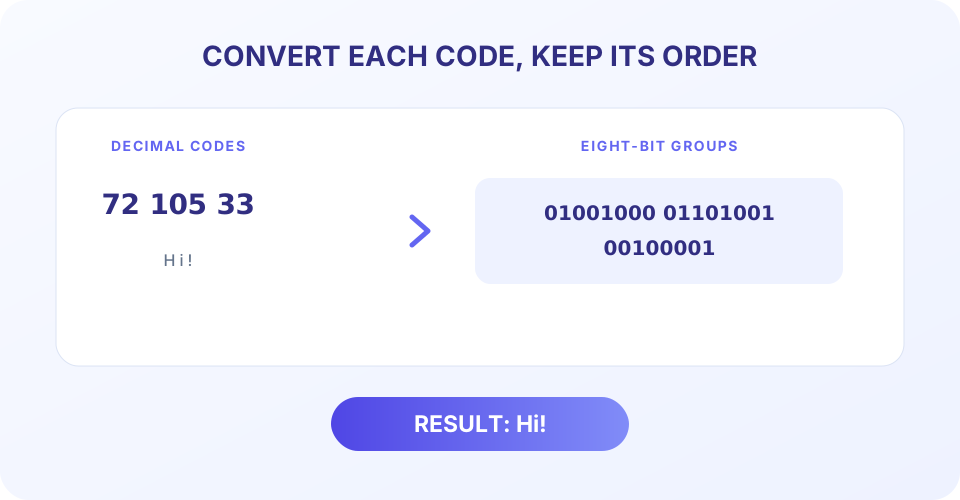
H has code 72, which becomes 01001000. Lowercase i has code 105, which becomes 01101001. Entering 72 105 or 72, 105 returns 01001000 01101001. The byte sequence corresponds to “Hi” when interpreted as ASCII text, although this converter itself only transforms the numbers.
Convert “A B” including its space
A is code 65, the space is code 32, and B is code 66. Convert them in order to get 01000001 00100000 01000010. Omitting the space code would join the visible letters when the sequence is decoded.
Represent zero and the maximum byte
Code 0 is 00000000; it is a non-printing NUL control value. Code 255 is 11111111. The latter fits in a byte but is not part of standard ASCII. These examples show why the converter accepts byte values through 255 while describing 0–127 as standard ASCII.
| Decimal input | Character meaning | Binary output |
|---|---|---|
| 65 | A | 01000001 |
| 72 105 | Hi | 01001000 01101001 |
| 65, 32, 66 | A B | 01000001 00100000 01000010 |
| 48 49 | 01 | 00110000 00110001 |
Using the Online ASCII to Binary Converter
The online ASCII to binary converter takes decimal code numbers and returns one eight-bit group per value. Use spaces or commas between codes. The output is separated with spaces for readability; the spaces are delimiters and are not extra binary bits.
- Enter decimal whole numbers from 0 through 255.
- Separate multiple values with spaces or commas, such as
72, 105. - Do not enter letters, hexadecimal prefixes, negative signs, or fractional values.
- Each result is padded with leading zeros to exactly eight bits.
- The complete input is limited to 500 characters.
- Use Convert, Copy to clipboard, Clear, or Ctrl+Enter to operate the tool.
For example, enter 65 66 67 to get 01000001 01000010 01000011. The calculator is a decimal-code formatter, rather than a character-input encoder: if you enter A instead of 65, it reports an invalid ASCII code. This distinction helps users select the right converter and understand what the result means.
ASCII, Hexadecimal, and Binary Compared
The same character code can be written in several bases. Uppercase A is decimal 65, hexadecimal 41, and binary 01000001. These are three representations of one numeric code. This converter takes the decimal form and returns binary. To begin with hexadecimal, convert HEX to Decimal first or use a direct hexadecimal-to-binary tool.
“ASCII hex to binary” may describe a workflow that begins with an ASCII code written in hexadecimal. For example, hexadecimal 41 equals decimal 65, which becomes 01000001. The ASCII-to-binary calculator expects 65, not 41 as a hexadecimal string; entering 41 will correctly treat it as decimal forty-one. Labeling the source base prevents a common conversion error.
ASCII is a character assignment, while binary is a number representation. Standard ASCII has 128 code points, from 0 through 127. Eight-bit containers can hold 256 possible values. Values 128–255 may be used by other encodings or applications, but their meaning is not universal ASCII. This tool simply formats each allowed input value as a byte.
ASCII to Binary in C and File Conversion
Searches for ASCII to binary C or ASCII to binary C code usually refer to a program that prints each character code as bits. In a typical implementation, a program gets a numeric code, validates its range, and formats the value with eight binary positions. This web calculator performs the numeric conversion in the browser; it does not compile or run C source code.
An ASCII to binary file converter would need to read file bytes and preserve or interpret its encoding. This page does not upload files; it accepts pasted decimal code numbers. A file may also contain UTF-8 text, binary data, or another format, so simply treating every byte as standard ASCII can produce incorrect or unreadable results. Check the file encoding and use an appropriate file-processing tool when converting actual files.
The phrase ASCII FBX to binary refers to a different kind of task when FBX means the 3D interchange file format. An ASCII FBX to binary FBX conversion changes how a 3D scene file is serialized; it is not the same operation as changing an ASCII character code into binary digits. This code converter does not open or convert FBX assets.
Choose the Right Number Converter
Use HEX to Decimal when a hexadecimal value needs to be read as a base-10 number. Binary to Decimal converts a base-2 value into decimal, while Decimal to Binary changes a base-10 number into bits. For the other decimal-to-hex direction, use Decimal to HEX.
These tools handle numeric bases. Character-code tools add a character mapping: ASCII-to-binary starts with decimal character codes, whereas a text encoder starts with letters. Decide whether your input is text, a code number, or a value written in another base before converting.
“A character has a code; a code has a binary representation. Convert the code in the correct base, one byte at a time.”
Conclusion: Format Each ASCII Code as One Byte
To convert ASCII codes to binary, take each decimal value, express it in base two, and pad it to eight digits. The converter accepts comma- or space-separated whole numbers from 0 to 255 and returns one byte for each value. Standard ASCII covers 0–127; higher accepted values are byte values, not standard ASCII characters. Enter decimal codes rather than letters or hexadecimal text, and keep each code in its original order.


