MD5 Generator: Create A Hash From Text
An MD5 hash generator takes input data and produces a digest: a fixed-length string that represents that input. SnapZain’s MD5 generator accepts text in the “Text to hash” box and displays the resulting digest as 32 hexadecimal characters. Enter text and select Generate MD5; use Copy hash to copy the result. The page is a text hash tool, not a file upload or file-checksum utility.
Searches such as “MD5 generate,” “generate MD5,” and “generate MD5 online” usually mean creating this kind of digest from a string. You may also see it called a free MD5 generator or free MD5 hash generator. Whatever the name—online MD5 hash generator, MD5 hash generator online, MD5 hash online generator, hash MD5 generator, or hash generator MD5—the important distinction is what data is being hashed and whether MD5 is appropriate for the task.
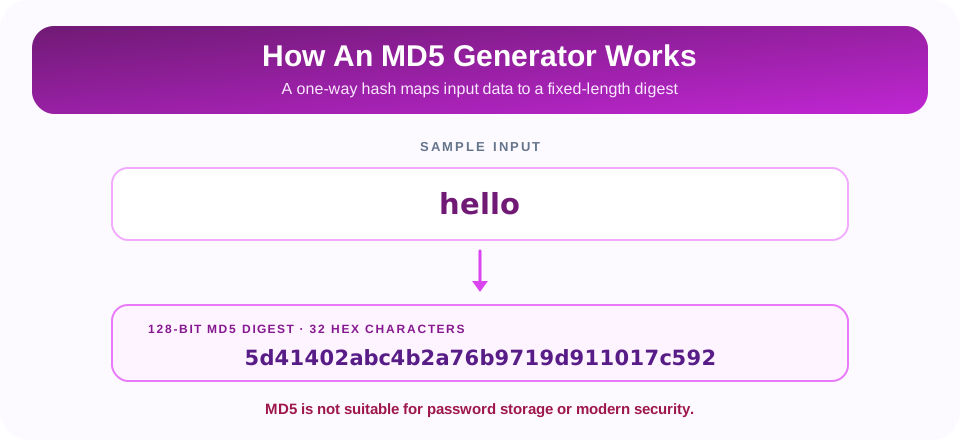
MD5 is a cryptographic hash function that produces a 128-bit digest. The output length is fixed, so a short word and a much longer paragraph both yield 32 hexadecimal characters. The value can be useful for learning, comparing simple test strings, or checking an MD5 checksum when a trusted publisher explicitly provides one. It is not suitable for password storage, digital signatures, or security-sensitive integrity checks.
How To Generate An MD5 Hash Online
Use the online MD5 hash generator for a quick text-to-digest conversion:
- Enter the exact text. Type or paste it into the Text to hash area. The tool hashes the characters as entered, including capitalization, spaces, and line breaks.
- Select Generate MD5. The page calculates a digest and shows the result in the MD5 hash field.
- Copy the result if needed. Select Copy hash to place the digest on your clipboard.
- Compare carefully. When checking a reference, ensure both inputs and the hashing method are identical.
The tool also calculates the MD5 digest of an empty input if you press Generate MD5 without entering text. If the CryptoJS library cannot load from its CDN, the page displays a message rather than a hash. This browser tool does not offer file selection, batch processing, or a command-line interface.
What An MD5 Digest Represents
A hash function maps input data to a digest of a defined size. MD5’s digest is 128 bits, usually written in hexadecimal as 32 characters using the digits 0–9 and letters a–f. For example, the text hello produces 5d41402abc4b2a76b9719d911017c592. The digest is not a compressed copy of the text and does not contain a reversible description of the original.
MD5 is deterministic: the same input bytes produce the same digest. Even a small input change, such as changing one letter’s case or adding a trailing space, changes the computed result. This makes hashes useful as identifiers for exact data in some non-adversarial contexts. However, the output alone cannot prove where the data came from or whether it is trustworthy.
Important: Hashing is not encryption. An MD5 digest does not conceal data through a reversible key, and it should never be treated as a secure password or secret.
MD5 Hash Generator Example And Output Length
The following table illustrates the fixed output size and an example digest. It is a reference for understanding the format, not a guarantee that MD5 is appropriate for protecting or authenticating data.
| Input | MD5 Digest (Hexadecimal) | Digest Length |
|---|---|---|
hello | 5d41402abc4b2a76b9719d911017c592 | 128 bits / 32 hex characters |
| Any other input length | A different digest for the exact input | 128 bits / 32 hex characters |
Hexadecimal is a compact way to write binary data: one hex digit represents four bits, so 32 hex digits represent 128 bits. The digest is conventionally written using lowercase hex, though uppercase letters would represent the same values. When comparing hashes, compare every character and make sure no extra whitespace was copied around the digest.
MD5 Generator Online: Text Input Versus File Checksums
Searches for a file MD5 hash generator, “generate MD5 for file,” or “generate MD5 checksum” often mean hashing the actual bytes of a downloaded file. This page does not perform that task: its interface contains a text area and no file upload control. If you paste a file name into the field, the tool hashes the characters of that name—not the file contents.
A file checksum must be calculated from the file’s bytes using a trusted local tool or a purpose-built file hashing application. Be careful when comparing values across platforms: line endings, character encoding, and whether the source is text or raw file data can affect the bytes being hashed. For download integrity, obtain the expected checksum from an authentic source, and prefer SHA-256 or a stronger modern algorithm when the publisher offers it.
MD5 may still appear in older workflows or documentation. In a limited setting, it can help detect accidental differences if the expected value comes from a trusted source and adversarial tampering is not a concern. It should not be used where a malicious party could construct a file with a matching digest.
Why MD5 Is Not A Password Generator
Some searches use phrases such as “MD5 password generator,” “generate MD5 password,” or “MD5 password.” They can refer to converting a password string into an MD5 digest, but that does not make the result safe for password storage or account protection. MD5 is extremely fast, which lets attackers test many guesses quickly if a password database is exposed. It also lacks the built-in work factor and password-specific protections expected of modern password hashing.
This tool calculates a plain MD5 digest for the text you enter; it does not add a unique salt, configure a cost factor, or apply a password-hashing scheme. Do not use it to generate stored password verifiers, protect authentication secrets, or create a “secure” password by hashing text. A hash is not automatically secure just because it is long or difficult to read.
Important: For password storage, use a dedicated password-hashing function such as Argon2id, scrypt, bcrypt, or PBKDF2, configured by a trusted authentication framework. Do not use MD5.
MD5 Security Limitations And Collisions
A collision occurs when two different inputs produce the same hash digest. MD5 has known collision weaknesses, and attackers have demonstrated practical ways to construct colliding inputs. Because of this, MD5 should not be relied upon for digital signatures, certificates, adversarial file verification, or any security decision that depends on collision resistance.
A digest matching an expected MD5 value can offer a basic comparison in a controlled, legacy context, but it does not prove that data is safe or authentic. An attacker who can alter both a file and the checksum may defeat the check, and a deliberate collision can undermine trust. Use a modern, collision-resistant hash such as SHA-256 for general integrity checks, and use a digital signature or authenticated mechanism when you need to verify a source.
Likewise, MD5 is not encryption. It provides no key for reversing a digest, but weak or common inputs can still be guessed and hashed for comparison. Never put confidential or sensitive information into a web tool unless you have reviewed the service’s privacy and security practices and are authorized to do so.
Why Two MD5 Results Might Not Match
If a hash generator MD5 result differs from another tool, first make sure the actual input is identical. These subtle differences can change the digest:
- Uppercase versus lowercase characters.
- Leading or trailing spaces copied with the text.
- Line endings, tabs, or invisible control characters.
- Different character encodings for non-ASCII text.
- Hashing a file’s bytes in one tool but the file name or pasted text in another.
- A service adding a prefix, suffix, salt, or other transformation before hashing.
For a fair check, use a short known input and compare the exact method, not only the label “MD5.” This page uses CryptoJS in the browser to calculate the digest of the entered text. Another generator may interpret the text as encoded bytes differently, especially for characters outside basic ASCII.
MD5 Generator Java And Other Development Uses
The phrase “generate MD5 hash Java” typically refers to creating an MD5 digest inside a Java application with an appropriate library or platform API. This browser page is not a Java code generator, and it does not return a code snippet or process a Java project. Developers should select a hashing API that matches their purpose, account for character-to-byte encoding, and avoid MD5 for security-sensitive functions.
For any language or platform, decide whether you need a plain digest, a file checksum, a password hash, or a digital signature. These are different use cases. A plain MD5 result from this page is suitable for demonstrations and simple comparisons, but it is not a replacement for a modern cryptographic design.
Related SnapZain Tools
Use other tools when your task is not hashing a short text string. QR Code Generator creates a QR code from content you provide. What Is My IP helps display IP address information. Hours Calculator calculates time totals, and Password Generator creates password strings. These tools serve different purposes; a password generator creates candidate passwords, while MD5 simply hashes supplied text and should not be used to secure passwords.
Use The MD5 Generator With The Right Expectations
Conclusion
SnapZain’s MD5 generator provides a quick way to calculate a 32-character hexadecimal digest from text in your browser. Enter the exact string, generate the hash, and copy the result if needed. Remember that the interface processes text rather than file contents, and the result depends on the exact characters and their encoding.
MD5 is a legacy algorithm with serious security limitations. It can be useful for learning or limited, non-adversarial comparisons, but avoid it for passwords, signatures, and security-sensitive integrity checks. When you need strong file integrity, choose a modern hash such as SHA-256; when you need password storage, use a dedicated password-hashing algorithm through a trusted system.


